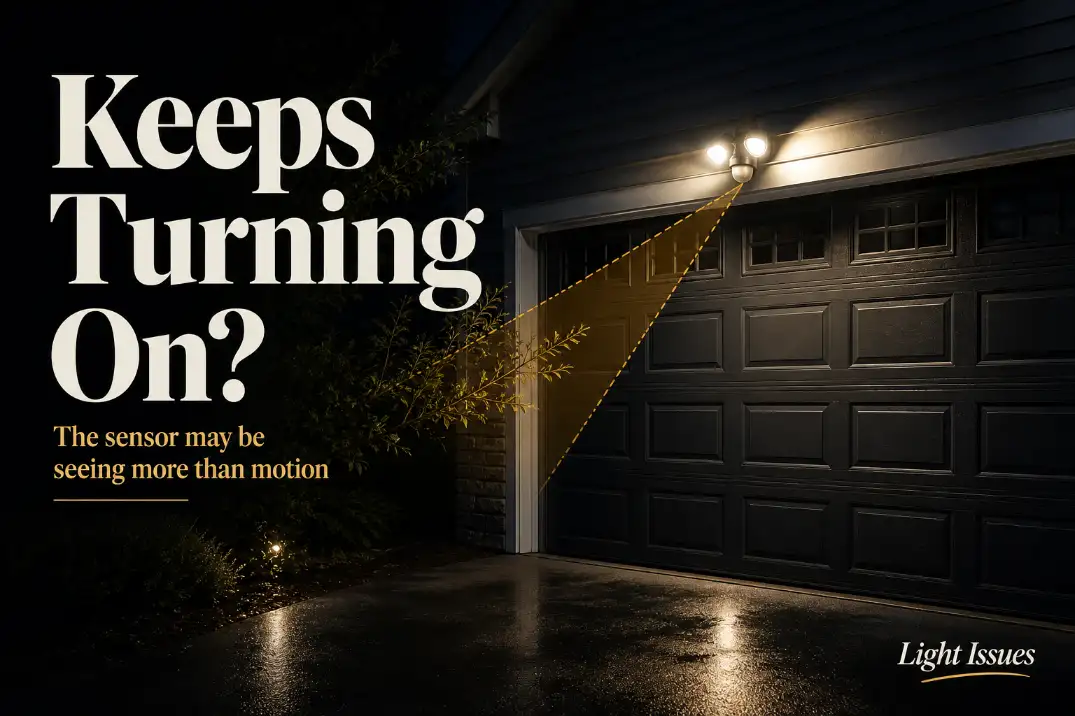
An outdoor motion light that keeps turning on and off is usually dealing with one of three things: a false trigger, a confusing mode/reset state, or unstable power. Start by checking the mode, timer, sensitivity, and whether the sensor is aimed at moving branches, traffic, vents, or reflective surfaces.
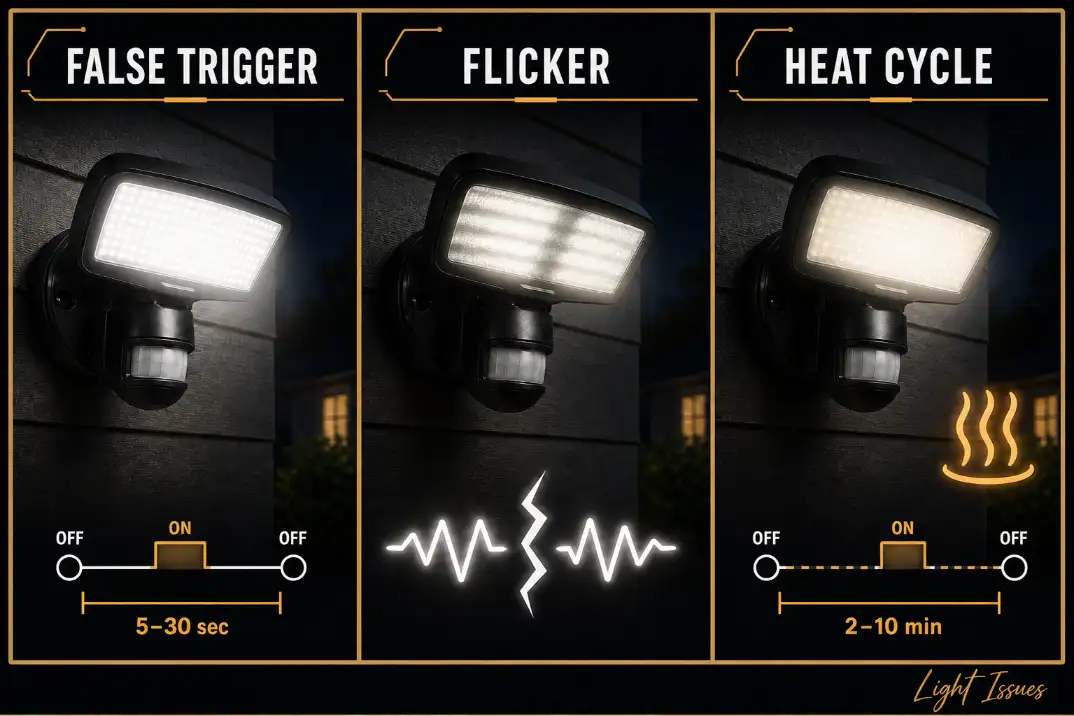
A normal motion light turns on, stays lit for its set delay—often 30 seconds to 10 minutes—and shuts off until motion returns. A problem pattern looks different: full on-off cycling every 5–30 seconds, flickering while lit, or shutting off and restarting on a regular 2–10 minute rhythm.
Do not treat this the same as a motion light that stays on all night. A stuck-on light often points to override mode, a failed relay, or dusk-to-dawn behavior. Repeated cycling is more often caused by changing heat, bad aiming, moisture, weak power, or a failing control board.
Quick Diagnostic Checklist
Use this order before replacing the fixture:
- Confirm the light is not in test mode, manual override, or dusk-to-dawn mode.
- Turn the wall switch off for 30–60 seconds, then back on for one clean reset.
- Set the timer to 1–3 minutes instead of the shortest delay.
- Reduce sensitivity by 25–50% and test again after dark.
- Aim the sensor away from roads, HVAC vents, dryer vents, windows, and moving plants.
- Watch whether the issue gets worse after rain, sprinklers, freezing nights, or heavy humidity.
- Treat flicker, buzzing, dim starts, or breaker trips as power symptoms, not motion symptoms.
First, Rule Out Mode and Reset Problems
Test mode and override mode can look like failure
Many outdoor motion lights have several operating states: test, auto, manual override, dusk-to-dawn, and sometimes app-controlled schedules. If the wall switch is toggled quickly, some fixtures enter override mode. If test mode is active, the light may cycle with a very short delay so you can aim the sensor.
This is why a light can seem broken right after a power outage, bulb change, switch reset, or accidental switch flick. Before adjusting the sensor, put the fixture back into normal motion mode and give it 1–2 minutes to stabilize.
If your issue is that the light will not shut off at all, the pattern is closer to Motion Sensor Light Stays On All Night than short cycling.
One clean reset is useful; repeated resets are not
A reset is worth trying once. Turn the switch off for 30–60 seconds, turn it back on, and avoid walking through the detection zone for 1–2 minutes. If the fixture has a physical reset button, hold it for about 5–10 seconds, then recheck the timer and sensitivity.
What wastes time is resetting the light every night. If the same cycling returns after rain, wind, or a few minutes of operation, the reset is not the fix. It is only clearing the symptom temporarily.
What Is Actually Making the Light Cycle?
The sensor reacts to changing heat, not just movement
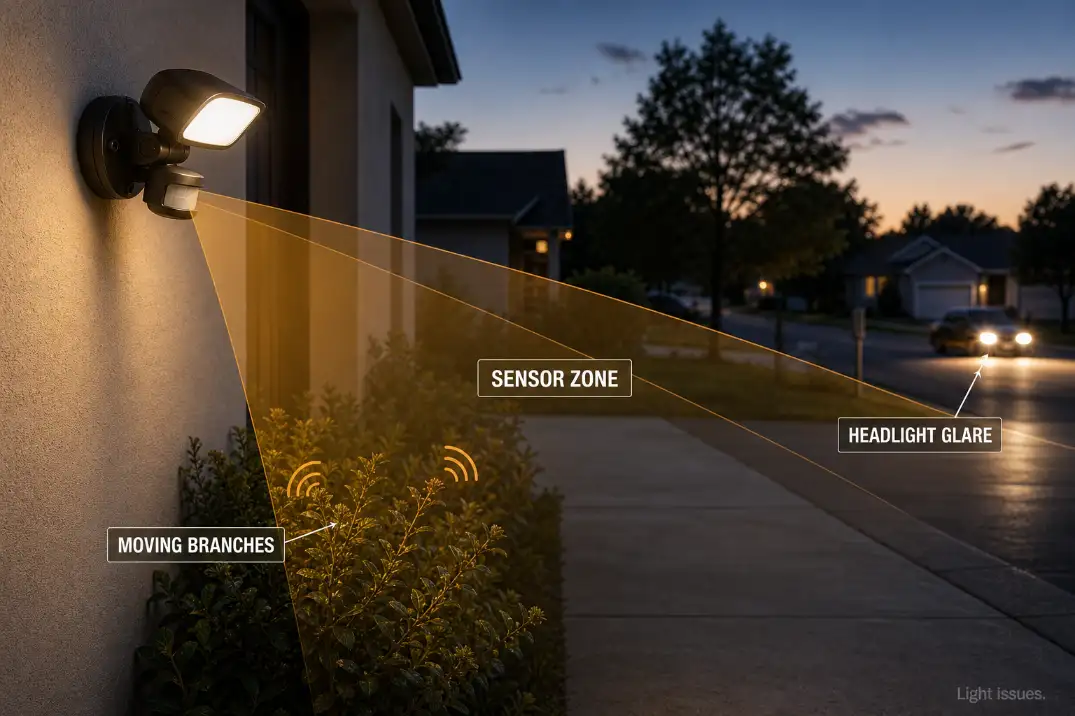
Most outdoor motion lights use a PIR sensor. It does not see like a camera. It detects changes in infrared heat across its field of view. A person crossing the driveway is one heat change.
So are warm dryer exhaust, sun-warmed siding cooling after sunset, a dog walking under the fixture, or wind moving leaves across a cooler background.
That is why the problem often appears at certain times: just after sunset, during windy nights, or after a fast temperature drop. In Arizona, a wall that baked in the sun all day may cool unevenly for 1–2 hours after dark.
In humid Florida weather, moisture and insects near the lens can make false triggering more likely. The important distinction is this: the cycling is the symptom. The unstable signal at the sensor is the mechanism.
A short delay setting can exaggerate normal retriggering
If the timer is set to 10 or 20 seconds, the light may shut off before the trigger source has left the sensor range. Then it sees motion again and restarts. This is especially common near sidewalks, driveways, gates, and side yards where people or pets move in and out of the detection area.
Set the delay to 1–3 minutes for troubleshooting. If the light behaves normally with a longer delay, the fixture may not be failing. It may have been set too aggressively for the location.
Pro Tip: Test the sensor by walking across its field of view from side to side. PIR sensors usually detect cross-motion better than someone walking straight toward them.
Match the Symptom Before You Fix It
| What the light does | Most likely meaning | First useful check |
|---|---|---|
| Turns fully on, fully off, then back on | False trigger, short timer, or retriggering | Timer, sensitivity, sensor aim |
| Flickers while staying on | Bulb, driver, loose connection, or voltage issue | Bulb seating, wiring, fixture condition |
| Blinks rapidly every second or two | LED driver fault, incompatible bulb, unstable power | Bulb type, driver, connection quality |
| Cycles every 2–10 minutes | Heat buildup or thermal cutoff | Fixture temperature, wattage, LED driver |
| Gets worse after rain or sprinklers | Moisture in sensor, box, or wiring | Gasket, cable entry, wall box, splices |
This table matters because people often use “turning on and off,” “flashing,” “blinking,” and “flickering” to describe different failures. A clean full-brightness on-off cycle points more toward triggering. Flicker or dimming points more toward power.
The Causes Worth Checking First
Sensitivity is too high for the real scene
Many motion lights can detect movement 30–70 feet away under good conditions. That sounds useful, but it often creates nuisance cycling on residential lots. A front walk may only need 10–20 feet of coverage. A driveway may need 20–35 feet. Beyond that, the sensor may start reacting to sidewalks, roads, trees, and neighbors’ movement.
People commonly overestimate how much range they need. More range does not always mean better security. It usually means more false triggers.
If the fixture is mounted around 6–10 feet high and aimed slightly downward, it will usually behave better than one mounted high on a gable and pointed outward. The goal is to cover the approach path, not the entire yard.
The sensor is aimed at something that moves or reflects
The most common false triggers are plain and easy to miss: thin branches, ornamental grasses, flags, hanging decorations, loose gate hardware, and passing cars. Reflections can also matter. Wet pavement, white garage doors, vehicle paint, windows, and glossy siding can bounce light or heat changes back toward the sensor.
Trim plants at least 2–3 feet out of the sensor’s direct view. Aim the sensor below windows and away from street traffic. Do this before taping over the lens. Tape can help in special cases, but it often creates blind spots while leaving the real trigger in place.
Moisture changes the diagnosis
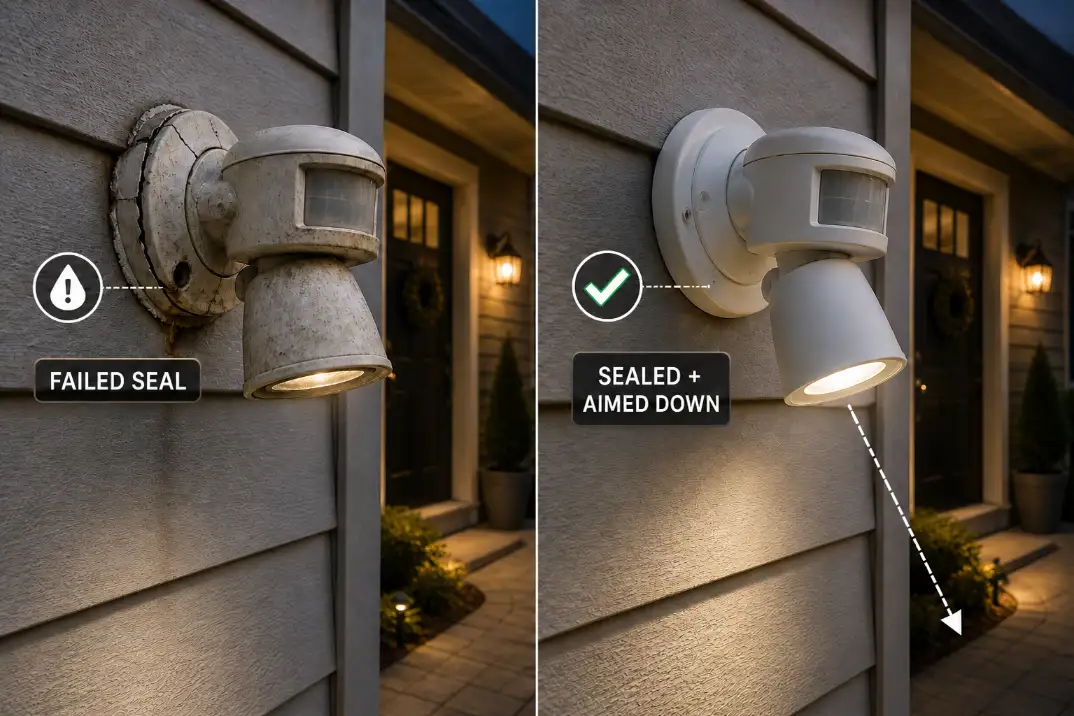
Moisture is not just a cosmetic issue. Water inside the sensor head, fixture body, wall box, or wire connection can cause short cycling before the light fully fails. The clue is timing: the problem gets worse after rain, sprinkler spray, fog, pressure washing, or freeze-thaw weather.
Look for condensation inside the lens, green copper corrosion, rust staining, swollen gaskets, water trails, or insects inside the housing. A fixture can look fine from the ground while the wall box behind it is wet.
If weather clearly changes the behavior, read Moisture Damage in Outdoor Lighting Explained before assuming the sensor alone is bad.
When It Is More Likely a Power Problem
Flicker, dim starts, and random dropouts are not sensor behavior
If the light turns on cleanly at full brightness, start with sensor triggers. If it flickers, glows weakly, buzzes, dims before shutting off, or turns off while you are still moving, power stability becomes the stronger suspect.
A normal line-voltage outdoor fixture should receive steady 120-volt power. Low-voltage landscape lighting is different, often using 12 volts from a transformer. Either system can cycle if a loose or corroded connection heats, expands, loses contact, cools, and reconnects.
If several outdoor lights act strangely at the same time, the issue is probably not one motion sensor. That broader pattern fits Outdoor Lights Working Intermittently more closely.
Loose or corroded connections are often underestimated
Outdoor wiring lives through heat, UV exposure, insects, vibration, rain, and seasonal expansion. In northern states, freezing and thawing can stress old seals. In coastal areas, salt air can speed corrosion around terminals and splices.
Useful warning signs include burnt insulation, brittle wire, loose wirenuts, green corrosion, water in the box, or a fixture that changes behavior when tapped. If you see those signs, stop adjusting the sensor and treat the fixture as an electrical repair. Loose Outdoor Wiring Connections: How to Fix Them Safely and Permanently explains that failure path in more detail.
Solar and battery motion lights fail differently
Solar and battery-powered motion lights can short cycle when the battery voltage is weak. The light may turn on, draw power, sag below the operating threshold, shut off, recover slightly, and turn on again. Cold weather makes this worse because battery output drops, especially during long winter nights.
Check the solar panel first. A dirty, shaded, north-facing, or partly covered panel may leave the battery only partially charged. Also check whether a porch light, streetlight, or reflective surface is confusing the dusk sensor. If the light is solar-powered and the on-off behavior feels tied to charging or dusk detection, compare it with Sensor Failures in Solar Lights: Wrong On/Off Behavior.
Smart Motion Lights Have One Extra Layer
App settings can disagree with local sensor behavior
Smart floodlights and camera lights add another source of confusion. Ring, Blink, Eufy, Wyze, Nest-style, and similar lights may use app motion zones, camera detection, PIR detection, schedules, routines, and dusk settings at the same time.
If the light turns on but the app shows no motion event, the trigger may be local to the fixture rather than camera-based. If the app logs motion but the light behaves oddly, check motion zones, person detection, schedules, and linked automations. Wi-Fi problems usually affect alerts and control, but they can make troubleshooting feel less consistent.
Do not start with firmware or app resets unless the physical scene is already clean. Branches, headlights, moisture, and weak power still cause more real-world cycling than software bugs.
When the Standard Fix Stops Working
Weather-following failure is not a sensitivity problem
Sensitivity, timer, and aiming changes are worth trying once. They are not worth repeating every week. If the light cycles after rain, after sprinklers run, during fog, or after freezing nights, the issue has probably moved beyond adjustment.
At that point, replacement alone may disappoint. A new fixture mounted over the same wet wall box or unsealed cable entry can fail the same way. Fix the water path first.
A regular 2–10 minute cycle may be heat-related
A different pattern appears when the light turns on, runs for several minutes, shuts off, cools, then turns on again. That can point to LED driver failure, thermal protection, poor heat sinking, or the wrong bulb in an older fixture.
This is less random than a false trigger. It often follows a repeatable rhythm. If a screw-in bulb is involved, confirm that the bulb is outdoor-rated, suitable for enclosed or semi-enclosed fixtures when required, and within the fixture’s wattage limit.
Replacement makes sense when the fixture cannot hold a stable state
Replacement becomes reasonable when the sensor cycles even after the lens is clean, the timer is set longer, sensitivity is reduced, the detection zone is clear, and moisture or wiring issues have been ruled out.
It also makes sense if the housing is cracked, the gasket is brittle, the sensor lens is cloudy, the LED driver is failing, or the sealed fixture has no serviceable parts. If the light has stopped responding altogether, the next diagnosis may be closer to Outdoor Motion Sensor Light Not Working.
Fixes That Usually Waste Time
Replacing the bulb is often the first thing people try, but it rarely fixes clean full-brightness cycling. If the lamp turns on strongly every time, the bulb is probably obeying the control circuit.
Taping over most of the sensor lens can also create a false sense of progress. It may reduce nuisance triggers, but it can leave the walkway or driveway unprotected. Aim and sensitivity should come first.
Increasing sensitivity is another common mistake. If the light already turns on too often, a wider detection field usually makes the problem worse.
Repeated resets are the last time-waster. If the light only misbehaves after rain or only after warming up, the reset is not solving the cause.
If the symptom is more of a visible pulse or shimmer than a clean on-off cycle, use Flickering Outdoor Lights: Common Causes as the better next comparison.
Questions People Usually Ask
Why does my motion light turn on and off every few seconds?
The most likely causes are a very short timer setting, immediate retriggering, moving objects in the detection zone, or an unstable sensor signal. If the light comes on cleanly and fully, start with timer, sensitivity, and sensor aim. If it flickers or dims, check power and connections sooner.
Why does my motion light only do this in winter?
Winter can increase false triggering because warm bodies stand out more against cold backgrounds. Snow, ice, condensation, and freeze-thaw gaps around the fixture can also affect the lens or wiring. Solar units may short cycle in winter because the battery receives less charge and delivers less usable power in cold conditions.
Can insects make a motion light cycle?
Yes, especially if they are close to the PIR lens or trapped inside the fixture. A moth or spider near the lens can trigger the light more easily than a person farther away. Clean the lens and remove nests before assuming the sensor has failed.
Is it dangerous if the light keeps turning on and off?
False triggering from branches or traffic is usually annoying, not dangerous. Flickering, buzzing, burnt smell, water inside the fixture, breaker trips, GFCI trips, melted wire connectors, or visible corrosion are different. Those signs mean the problem should be treated as electrical, not just inconvenient.
Bottom Line
An outdoor motion light that keeps turning on and off is easiest to fix when you separate the symptom first. Clean full-brightness cycling usually means false triggers, short delay settings, mode confusion, or poor aiming. Flicker, dimming, buzzing, rain-related failure, or regular heat-related cycling points toward power, moisture, or failing electronics.
The practical order is simple: reset once, confirm the mode, lengthen the timer, reduce sensitivity, aim the sensor downward, and clear the detection zone. If the same problem follows weather, heat, or unstable brightness, stop tweaking the settings and inspect the fixture, wiring, and seal.
For broader official safety context on home electrical systems, see the NFPA Electrical Home Fire Safety guide.